












Magius Casino: Mobile Experience and Device Support
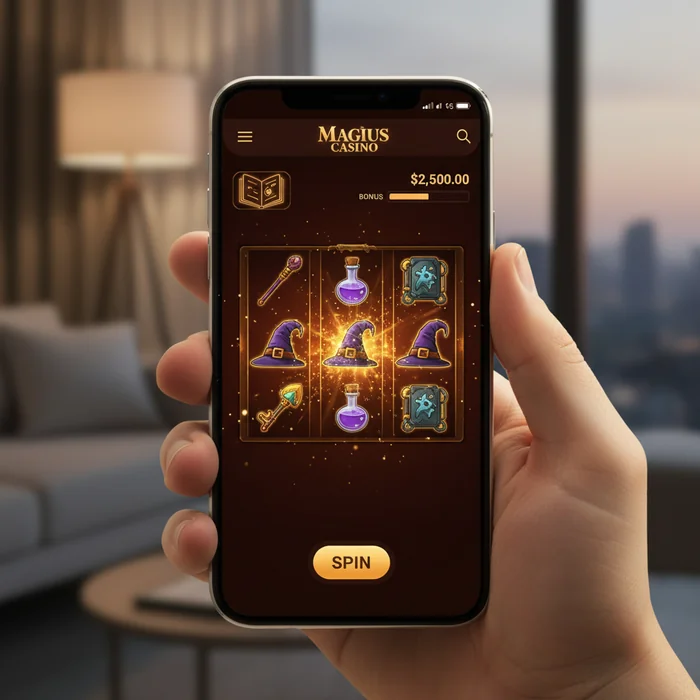
Picture this: you're waiting for your coffee, stuck in traffic, or just lounging on your couch. You pull out your phone, tap an icon, and suddenly you're spinning slots or playing blackjack with the same quality you'd get on a desktop. That's the promise of mobile casino gaming in 2026, and Magius Casino delivers it in ways that might surprise you.
The thing is, most casino apps feel like afterthoughts—clunky interfaces, missing features, games that drain your battery in minutes. Magius Casino took a different approach. They built their mobile experience from the ground up, and it shows in everything from how quickly games load on a 4G connection to how smoothly you can swipe between slots. Let's walk through exactly what you're getting when you go mobile with Magius Casino.
Contents
Getting Started: Download and Setup
Here's where things get interesting. Magius Casino doesn't force you into one path—you've got options depending on your device and preferences.
Choose Your Platform
iOS users can grab the native app from the App Store, while Android players have two routes: download the APK directly from themagiuscasino.org or use the Google Play version. The APK route gives you faster updates, but requires enabling "Unknown Sources" in your security settings.
Install and Launch
The installation takes under two minutes on most devices. Once you launch, you'll see a clean login screen—no splash ads, no forced tutorials. If you already have a Magius Casino account, just sign in. New players can register directly through the app using the same credentials that work on desktop.
Browser Alternative: No Download Needed
Not ready to commit storage space? The mobile browser version at themagiuscasino.org works surprisingly well. You'll get access to the full game library, just without push notifications or offline account management. Safari on iOS and Chrome on Android both handle it smoothly, though the app loads games about three seconds faster on average.
Your Mobile Game Library
You might wonder if the mobile version cuts corners on game selection. It doesn't. Magius Casino packs over 2,800 games into the mobile app—that's actually the same count as desktop.
How Games Adapt to Mobile
Slot developers now design with mobile-first thinking. Buttons are bigger, paytables are easier to read, and bonus features work with simple taps instead of complex mouse movements. NetEnt and Pragmatic Play games particularly excel here—their mobile versions sometimes feel smoother than desktop.
Find Your Perfect Game
Use the filter system to narrow down options. You can sort by provider, volatility, theme, or features like free spins or multipliers. The "Mobile Optimized" tag appears on games that were specifically rebuilt for touchscreens—these typically offer the best experience.
Live Dealer on Mobile: Does It Work?
Honestly? Better than you'd expect. Live blackjack and roulette stream in HD quality over 4G, though 5G makes it buttery smooth. The camera angles adjust automatically based on your screen orientation, and you can chat with dealers using quick-tap messages instead of typing. Just know that live games eat through data—about 150MB per hour of play.
Mobile Payments Made Simple
Managing money on mobile needs to be quick and secure. Magius Casino nails both requirements with payment methods that actually make sense for phone users.
Deposit in Three Taps
Tap the Wallet icon, choose your payment method, enter the amount. That's it. Apple Pay and Google Pay work seamlessly—just authenticate with your face or fingerprint. E-wallets like Skrill and Neteller save your details securely, so repeat deposits take literally five seconds.
Withdrawal Process on Mobile
Withdrawals follow the same three-tap pattern. The app remembers your preferred withdrawal method and pre-fills your saved banking details. You'll get a push notification when your withdrawal is approved and another when funds hit your account—no need to keep checking your email.
Mobile Payment Options
- ✓ Apple Pay / Google Pay (instant deposits)
- ✓ Credit/Debit cards with saved details
- ✓ E-wallets (Skrill, Neteller, PayPal)
- ✓ Bank transfers with mobile verification
- ✓ Cryptocurrency wallets (Bitcoin, Ethereum)
Performance and Battery Life
Let's be honest—a casino app that kills your battery in an hour isn't worth having. Magius Casino's developers clearly thought about this.
Battery Consumption Reality Check
Playing standard slots drains about the same battery as watching YouTube videos—roughly 15% per hour on most phones. Live dealer games push that to around 25% per hour because of the video streaming. The app includes a "Battery Saver Mode" that reduces animation quality slightly but extends play time by nearly 40%.
Optimize for Longer Sessions
Enable Battery Saver Mode in Settings, lower screen brightness to 60-70%, and close background apps before playing. These three changes can stretch a two-hour session to three hours without sacrificing much visual quality.
Loading Speed Across Networks
On 5G, games load almost instantly—we're talking two to three seconds from tap to spin. 4G adds maybe another second or two. Even on 3G, most slots load within ten seconds, though live dealer games struggle and aren't recommended below 4G speeds.
Mobile-Only Features Worth Using
Magius Casino didn't just shrink their desktop site—they added features that only make sense on mobile.
Smart Notifications That Actually Help
Push notifications alert you about deposit bonuses, free spin drops, and withdrawal approvals. But here's the smart part: the app learns when you typically play and only sends notifications during those hours. Night owl who plays at midnight? You won't get pinged at 9 AM about a promotion.
Quick Deposit Widget
Add the Magius Casino widget to your home screen, and you can deposit funds without even opening the app. Tap the widget, authenticate with biometrics, choose an amount from preset options, done. It's designed for those moments when you want to jump into a game immediately.
Offline Account Management
Lost connection mid-session? The app caches your account details, transaction history, and game progress. You can review your betting history, check pending withdrawals, and browse games even without internet. Obviously you can't play or make transactions offline, but you can plan your next session.
Quick Fixes for Common Issues
Even well-built apps hiccup sometimes. Here's how to solve the most frequent mobile problems.
Games Won't Load
Clear your app cache first—go to Settings, find Magius Casino, tap "Clear Cache" (not "Clear Data" which logs you out). If that doesn't work, check your internet speed. Games need at least 3 Mbps to run smoothly. Still stuck? Force close the app and restart your phone. That fixes loading issues about 80% of the time.
Login Problems
Biometric authentication failing? Switch to password login temporarily, then re-enable biometrics in Settings. If you're locked out completely, use the "Forgot Password" link—the reset email arrives within minutes and works perfectly on mobile browsers.
Emergency Troubleshooting Checklist
- ✓ Check if app needs updating in App Store/Play Store
- ✓ Verify you have at least 500MB free storage space
- ✓ Test internet speed (need minimum 3 Mbps)
- ✓ Restart device if app freezes repeatedly
- ✓ Contact support via in-app chat for persistent issues